What a certification expiration tracker does
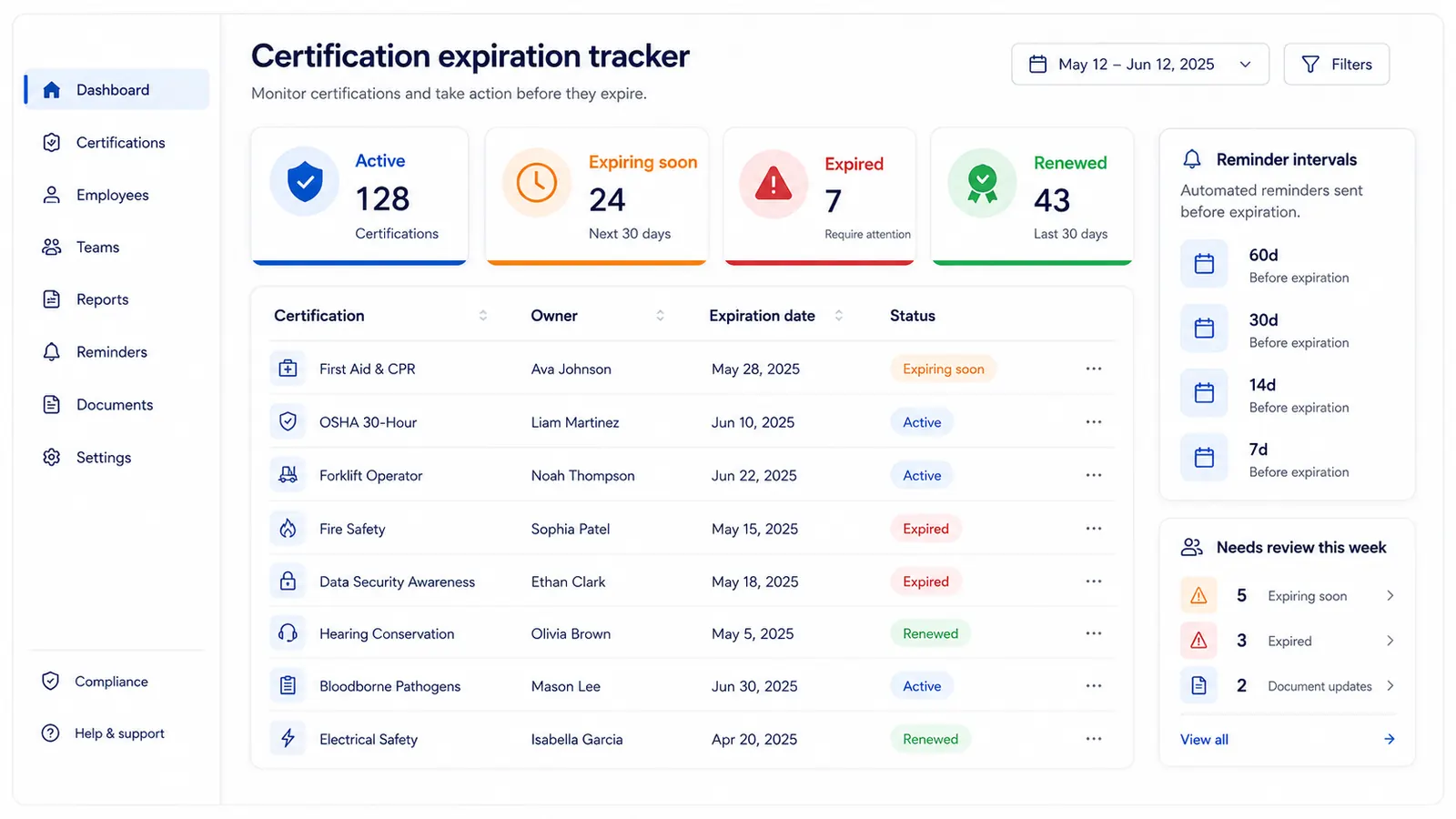
A certification expiration tracker gives each credential a clear owner, expiration date, status, and reminder schedule. Instead of relying on spreadsheets or inbox follow-up, teams work from one queue that shows what is active, expiring soon, blocked, or already renewed.
This matters most when certifications affect safety, customer access, staffed work, or compliance readiness. The earlier the team sees risk, the easier it is to book training, confirm documents, and close renewals before credentials lapse. For healthcare teams managing staff credentials alongside clinical licenses, the broader healthcare license tracking workflow shows how to organize license, CE, and credential records together. If the workflow is employee-centered, use staff credential tracking software to connect credentials to people, teams, owners, and weekly review queues.
Direct answer
Track one record per certification, assign an accountable owner, use reminders based on risk, and review expiring credentials every week.
What certifications teams often track
Example certification record
Title
Forklift Safety Certification
Owner
Site operations manager
Expiration date
2026-07-15
Renewal date
2026-07-01
Review date
2026-06-15
Risk tier
critical
Status
Expiring soon
Notes
External trainer booking required
Risk matrix
Which certifications need earlier renewal control?
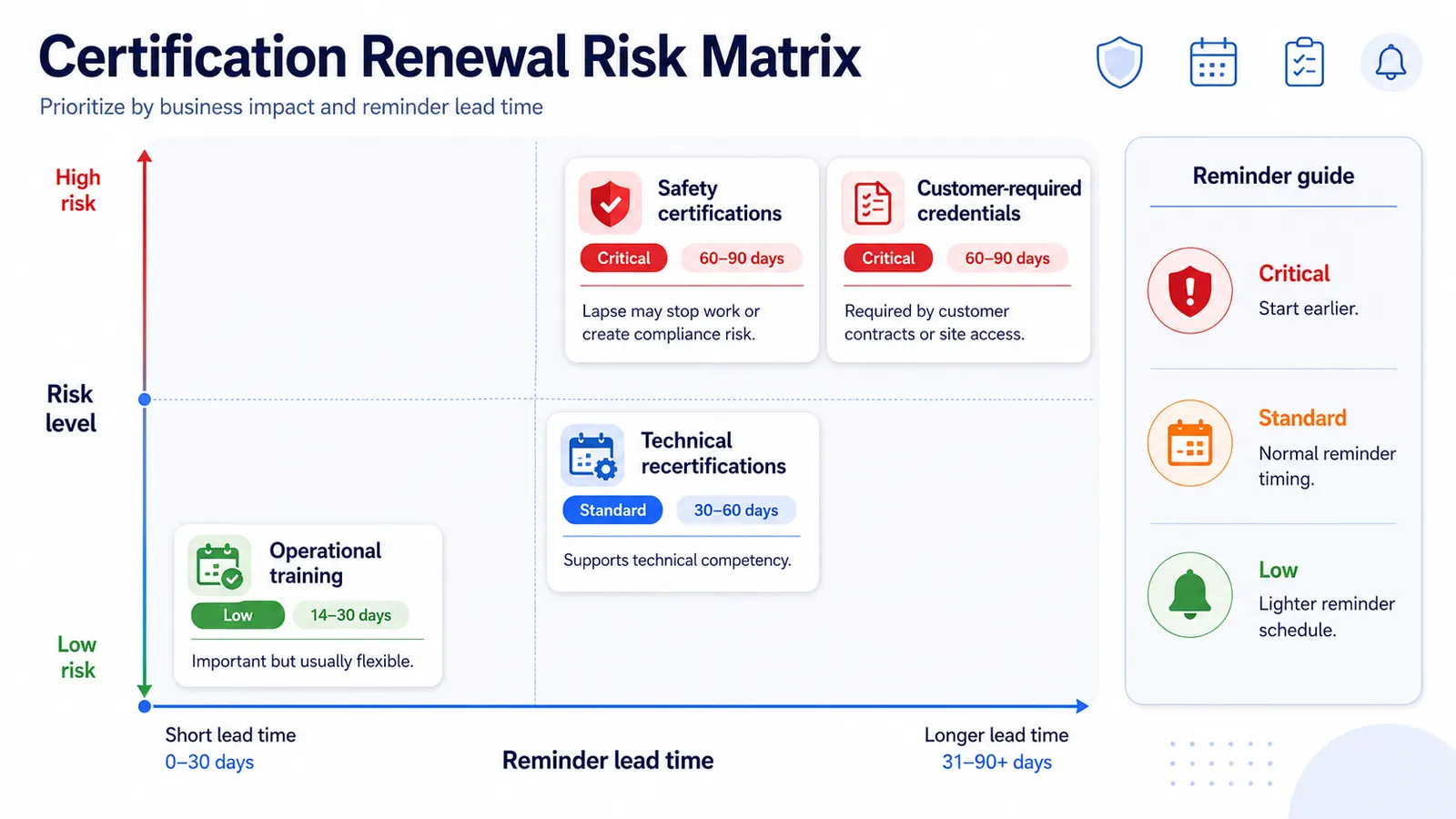
Safety certifications
Work may need to pause if certification lapses.
Work may need to pause if certification lapses.
60 / 30 / 14 / 7
Customer-required credentials
Expired credentials can block contract delivery or site access.
Expired credentials can block contract delivery or site access.
60 / 30 / 14 / 7
Technical recertifications
Renewal keeps role eligibility and platform access current.
Renewal keeps role eligibility and platform access current.
30 / 14 / 7 / 1
Operational training renewals
Often tied to internal readiness and audit preparation.
Often tied to internal readiness and audit preparation.
30 / 14 / 7
Low-risk admin training
Still needs visibility, but shorter reminder lead time is usually enough.
Still needs visibility, but shorter reminder lead time is usually enough.
14 / 7 / 1
Simple status model for certification control
Active
No immediate action, continue routine checks.
Expiring soon
Start renewal steps and confirm dependencies.
Expired
Escalate quickly and prioritize remediation.
Renewed
Close cycle and set next expiration/renewal dates.
Why certification renewals get missed
What a reliable renewal workflow looks like
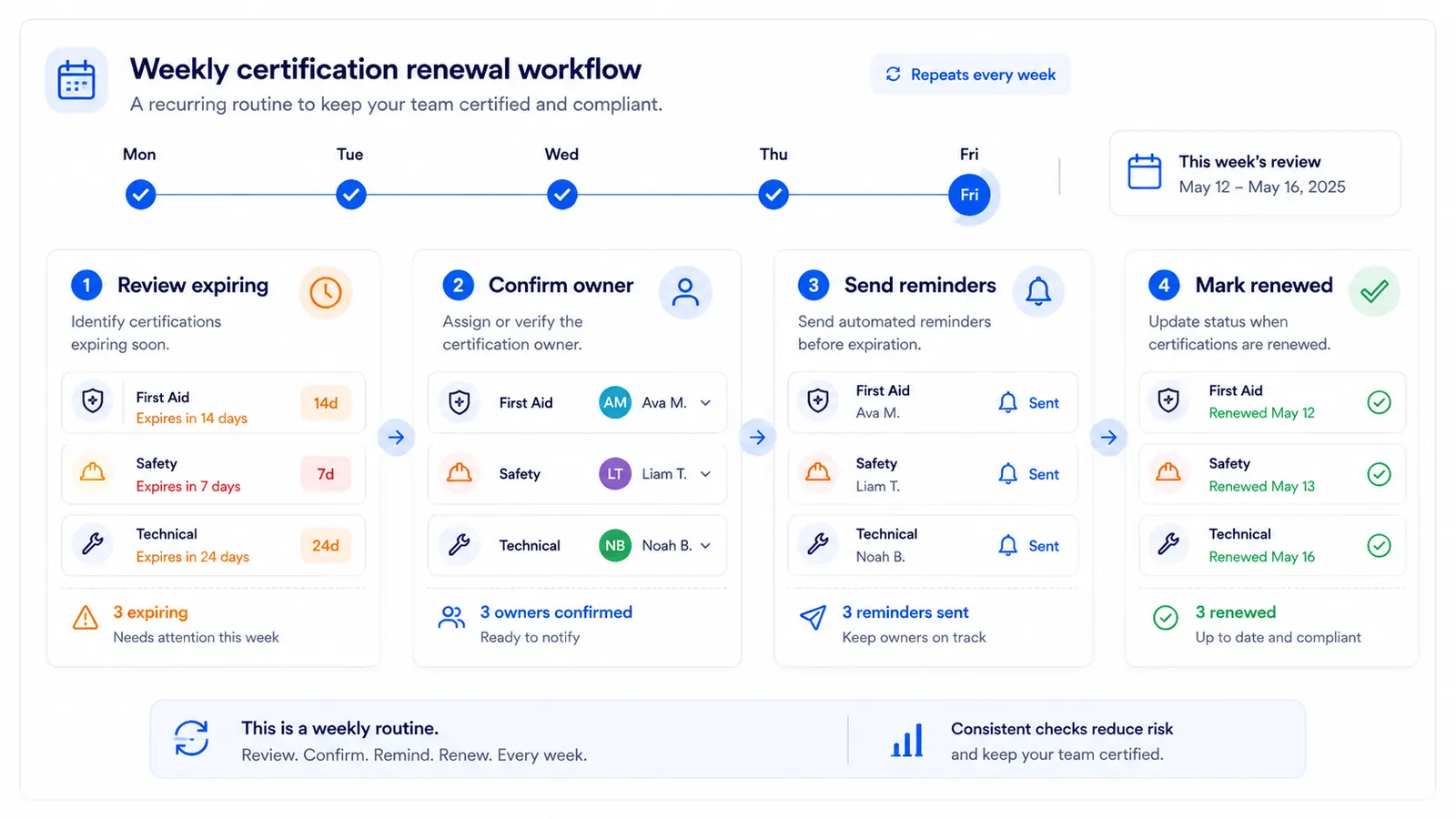
Reliable certification workflows include owner assignment, reminder ladders, and fixed weekly review cadence. Teams should review the expiring-soon queue before credentials become urgent.
Combine email renewal reminders with the expiration dashboard to keep renewal actions visible.
Example certification queue
The useful view is not just a list of dates. It is a queue that separates active records, expiring credentials, blocked renewals, and completed renewals.
Review cadence for certification control
Weekly
Review expiring-soon and blocked certifications.
Catch training, class, or manager approval gaps early.
Monthly
Scan the next 60-90 days by owner and risk tier.
Start higher-risk renewals before scheduling becomes tight.
Quarterly
Audit certification categories and owner coverage.
Find stale records, missing dates, and unclear accountability.
After renewal
Close the record and set next-cycle dates.
Keep the dashboard accurate for the next review window.
Better than tracking certifications in spreadsheets
Spreadsheets can hold certification rows, but they rarely provide reliable status progression across multiple owners and recurring reviews.
Compare both models in spreadsheet vs software for expiration tracking.
Who this is for
FAQ
It is a focused system for tracking certification deadlines, owner accountability, and reminder timing so renewals do not slip.
Teams commonly track staff credentials, safety certifications, role-based licenses, training recertifications, and customer-required credentials.
Use active for in-cycle records, expiring soon for near-term action, expired for urgent remediation, and renewed when next cycle dates are set.
Misses usually come from scattered records, unclear ownership, and reminder timing that starts too close to deadline.
For recurring certification workloads, a structured tracker is more reliable because status, reminders, and owner views stay in one place.
Need deeper operational setup? Continue with certification expiration tracking.